Make forms personal
Reference previous answers, hidden fields, and scores anywhere in your form. Greet users by name and acknowledge their choices for a truly personalized experience.
Why answer recall transforms forms
Generic forms feel like paperwork. Personalized forms feel like conversations. When your form uses someone's name, references their choices, and adapts language to their context, the experience changes completely. Users feel heard, engagement increases, and completion rates climb.
Create real conversations
Instead of 'What is your budget?', ask 'Thanks, Sarah! Now, what budget are you working with for [selected product]?' Every question acknowledges what came before, creating natural dialogue flow.
Reduce cognitive load
When forms reference previous answers, users do not need to remember what they said. Context carries forward, reducing mental effort and making complex forms feel simpler and more intuitive.
Build trust through attention
Using someone's name and reflecting their choices back shows you are paying attention. This attention to detail builds trust and signals that their responses matter to you.
Simple syntax, powerful personalization
Insert answer references anywhere with a simple syntax. No coding required. Just type the reference and watch your forms come alive with personalization.
Reference any previous answer
Use simple placeholders to insert previous answers into question text and descriptions. If someone entered 'Sarah' for their name, use @name to display 'Sarah' anywhere later in the form.
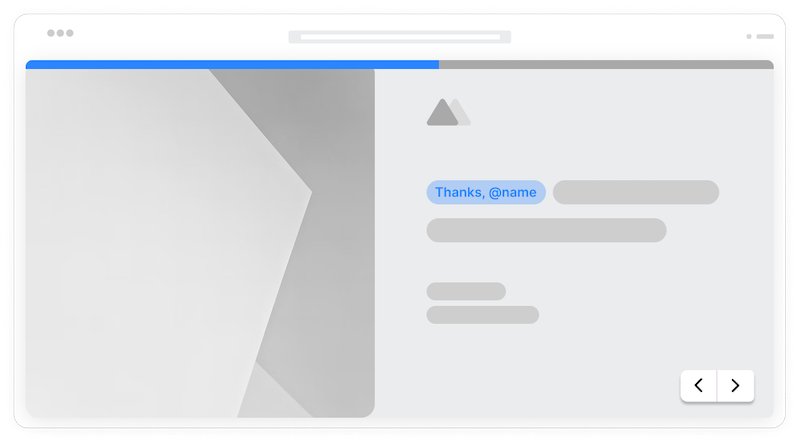
Use in questions and descriptions
Personalize both the questions you ask and the context you provide. 'Tell us more about your role at {{company}}' or 'Based on your interest in {{product}}, we recommend...' makes every step feel tailored.
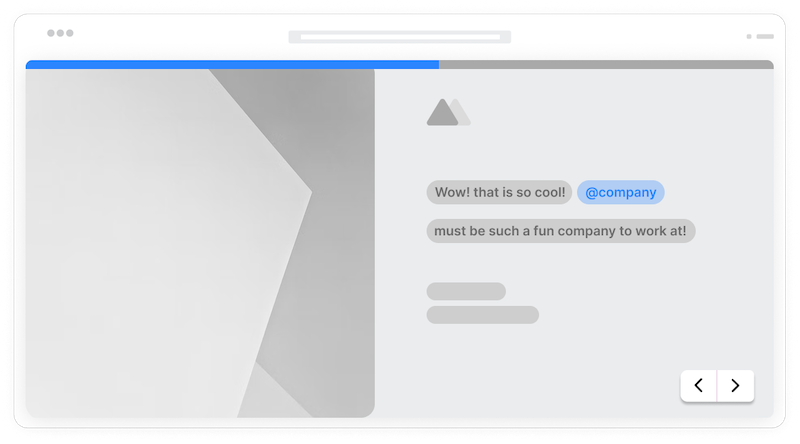
Personalize thank you pages
Carry personalization through to the end. 'Thanks for your submission, {{name}}! We will contact you at {{email}} within 24 hours about {{topic}}.' The entire experience stays personal.
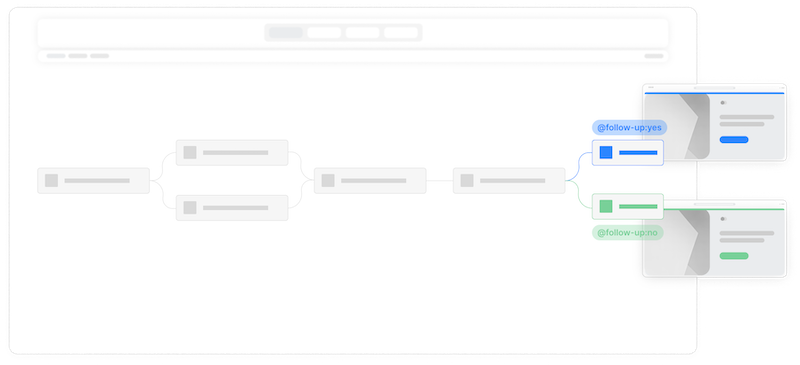
Choice selection piping
Reference which options users selected from dropdowns, radio buttons, or checkboxes. 'You selected {{plan}}. Here are the features included...' acknowledges and builds on their choice.
Numeric value references
Use numbers from previous answers in calculations or display. 'For {{quantity}} units at your selected tier, your estimated total is...' combines piping with calculations.
Date references
Reference dates users entered earlier. 'Your appointment is scheduled for {{date}}. Please arrive 15 minutes early.' Useful for scheduling and event registration forms.
Hidden field values
Pipe hidden field values into visible content. Reference UTM sources, customer IDs, or any invisible data to personalize experiences based on context users cannot see.
Frequently Asked Questions
Everything you need to know about answer recall and piping in your forms. Need help with syntax? We are here.
Still need help? Contact Us
Answer recall (also called answer piping) is a feature that lets you insert previous answers into later parts of your form. When someone enters their name in question one, you can display that name in question five using a simple placeholder. This creates personalized, conversational form experiences that reference what users have already told you.
Use the @ character to open the recall menu, from there you can select the referenced value and where you want the value to appear. For example, if you have a field called 'first_name', type @first_name in a later question to display what the user entered. The form editor shows available fields you can reference, making it easy to insert the correct placeholders.
Answer piping works in question titles, question descriptions and thank you page content. Essentially, anywhere you can enter text, you can insert answer references to personalize the content based on previous responses.
Yes, you can include as many answer references as you need. A question like 'Thanks {{name}}! You mentioned you work at {{company}} and are interested in {{product}}. How can we help you get started?' references three different previous answers in a single piece of text.
Yes, answer recall and conditional logic work independently but complement each other. Conditional logic determines which questions appear, while answer recall personalizes the content of those questions. You might show a question conditionally AND use piping to personalize its text.
Yes, numeric values from previous answers can be used in calculation fields. If someone enters a quantity, you can reference that value in formulas to compute totals, estimates, or scores. This combines personalization with dynamic calculations.
Form submissions and exports show the actual data entered, not the piped display text. When you view responses, you see 'John' in the name field, not the placeholder {{name}}. The piping is for display purposes during form completion and in notifications.
Templates to get you started
Start from a ready-made template and customize it to fit your needs.

Product Recommendation Quiz
Give shoppers a tailored experience with this product recommendation quiz designed to guide them to the perfect choice.

Lead Qualification Form
Capture new leads and quickly determine whether they're the right fit for your product or service.

Customer Effort Score (CES) Survey
Measure how easy it is for customers to interact with your product, and use those insights to reduce churn and strengthen loyalty.
Create truly personal form experiences
Answer recall works beautifully with other Formsuite features. Combine them for maximum personalization.