Capture qualified leads that convert
Build lead generation forms that qualify prospects, score leads automatically, and sync directly to your CRM. Turn website visitors into sales opportunities.
Why lead generation forms matter
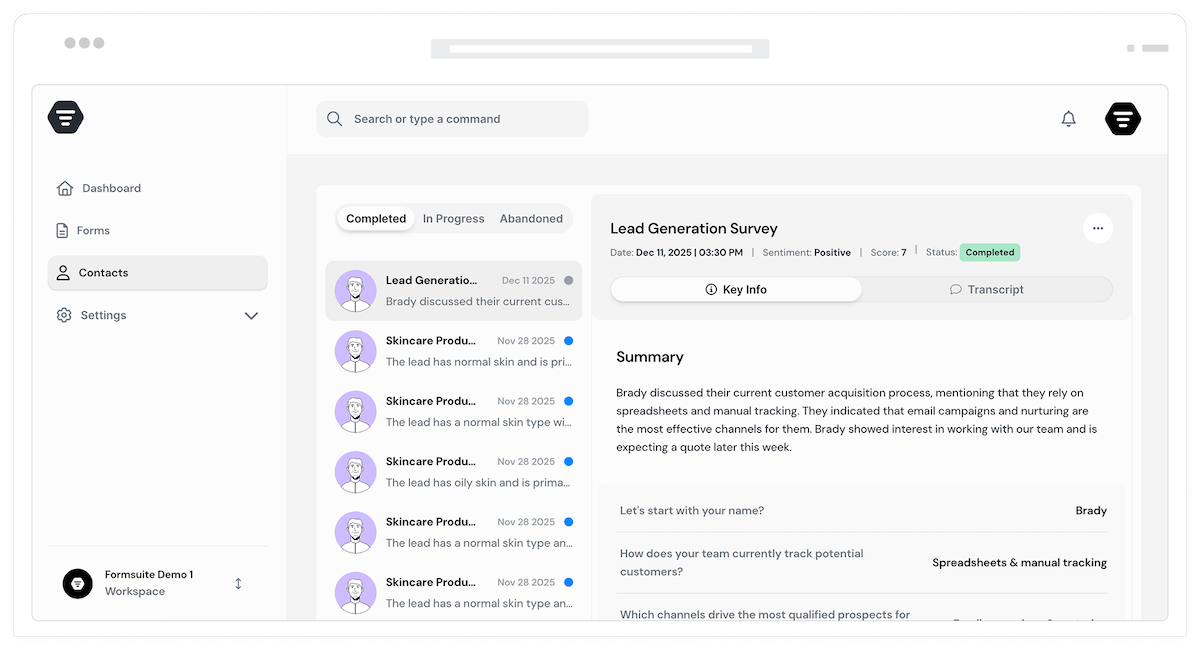
Your website gets traffic, but traffic alone does not pay the bills. Lead generation forms transform anonymous visitors into named prospects with contact details, preferences, and buying intent. The right form captures the right information at the right time, feeding your sales team qualified opportunities instead of cold contacts.
Qualify before you call
Not every lead deserves your sales team's time. Smart lead forms ask qualifying questions about budget, timeline, and needs. Route hot leads to sales instantly while nurturing others automatically.
Capture complete context
Names and emails are just the start. Effective lead forms gather company size, industry, pain points, and goals. Your sales team starts conversations with context, not cold outreach.
Convert at the right moment
Show forms when visitors are ready to engage. Embed in landing pages, trigger on exit intent, or display after key content consumption. Meet prospects where they are in their journey.
Lead capture that works
Every feature designed to maximize conversion rates and lead quality. Build forms that your sales team will thank you for.
Conversational lead forms
Replace intimidating form walls with friendly, one-question-at-a-time experiences. Conversational forms feel like natural dialogue, increasing completion rates by up to 40% compared to traditional forms.
Lead scoring and qualification
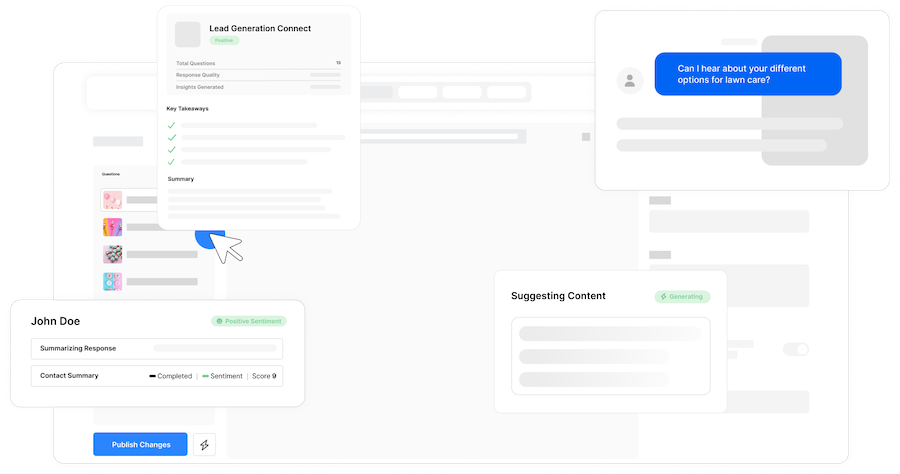
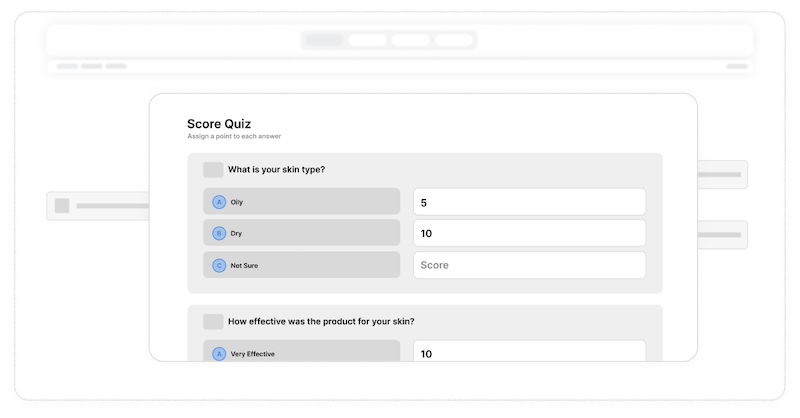
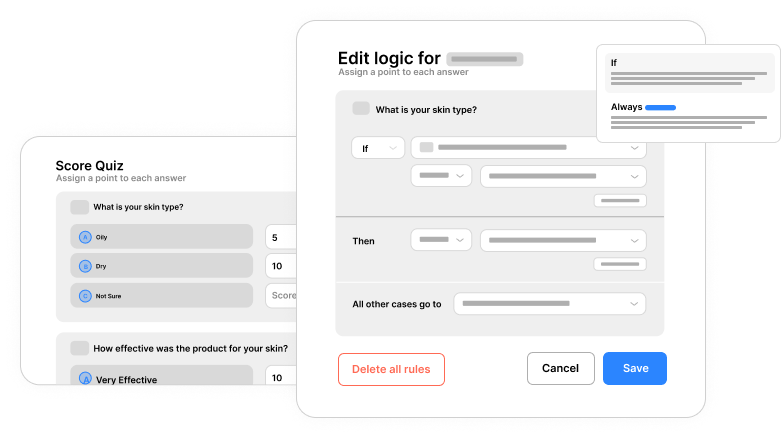
Assign point values to responses and calculate lead scores automatically. Identify high-value prospects based on company size, budget, timeline, and buying signals. Prioritize follow-up intelligently.
CRM integration via Zapier
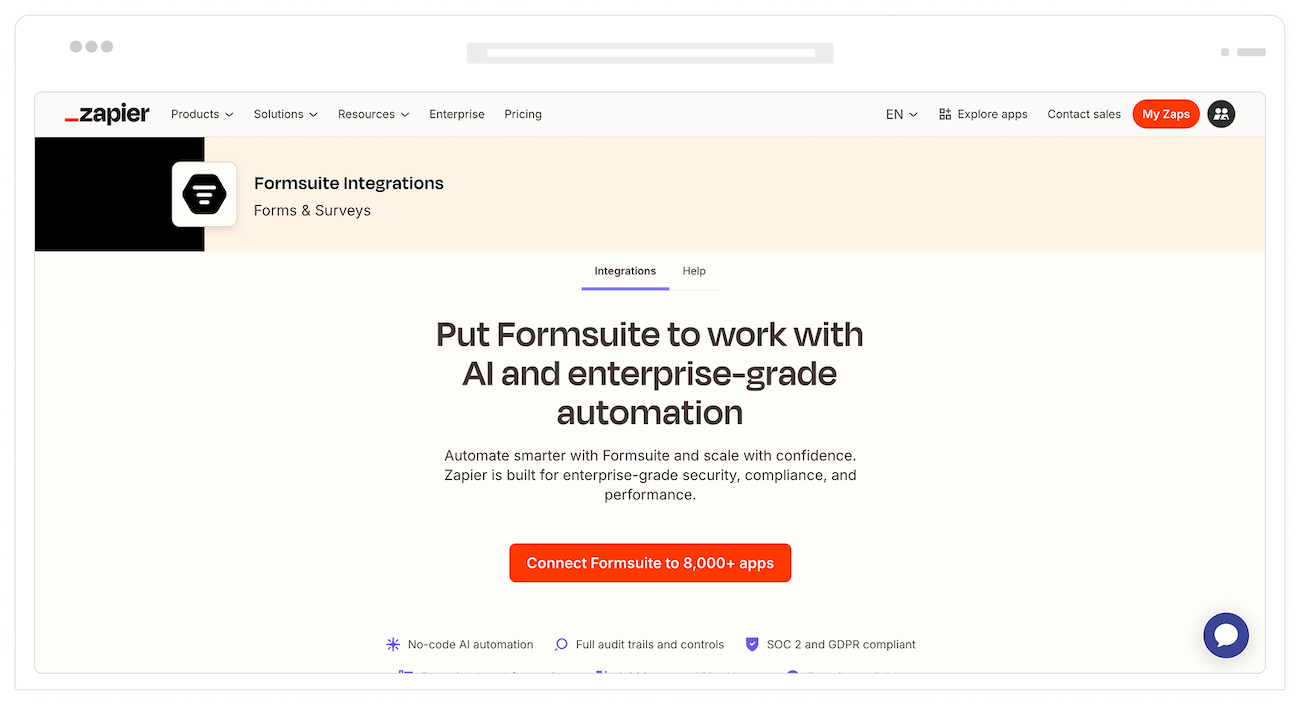
Connect to HubSpot, Salesforce, Pipedrive, or any CRM through Zapier. Leads flow automatically into your sales tools. Create contacts, deals, and activities without manual data entry.
Conditional logic paths
Ask different questions based on previous answers. Show pricing questions to enterprise prospects, skip them for small businesses. Create personalized form experiences that gather relevant data.
Optimized for conversion
Every default setting is tuned for maximum completion rates. Mobile-first design, smart field ordering, and progress indicators keep prospects moving forward through your form.
Lead data enrichment
Capture email and auto-enrich with company data. Get firmographics, technographics, and social profiles without asking. More data, less friction, better leads.
Instant email alerts
Get notified the moment a lead submits. Customizable email notifications ensure your team responds while prospects are still engaged. Route alerts to the right people instantly.
Connect to any tool
Integrate with thousands of apps through Zapier. Send leads to your CRM, add to email lists, create tasks in project management tools, or trigger any workflow you need.
UTM and source tracking
Capture UTM parameters, referral sources, and landing page URLs in hidden fields. Know exactly which campaigns and content drive your best leads for better ROI measurement.
Flexible embedding
Embed lead forms anywhere: landing pages, blog posts, popups, or slide-ins. Inline, modal, or full-page display options. Your forms fit your marketing strategy.
Frequently Asked Questions
Everything you need to know about building lead generation forms that convert. More questions? We are here to help.
Still need help? Contact Us
The best lead gen forms balance information capture with user experience. Ask only essential qualifying questions, use conditional logic to personalize the journey, offer value in exchange for information, and make the form feel conversational rather than interrogative. Fewer fields typically mean higher conversion rates.
Start with the minimum fields needed to qualify and follow up: typically name, email, and one to two qualifying questions. Every additional field reduces completion rates. Use progressive profiling to gather more information over time rather than asking everything upfront.
Use conversational form formats, reduce field count, add progress indicators, optimize for mobile, and test different headlines and button text. Offering something valuable like a free resource, demo, or consultation in exchange for information significantly boosts conversions.
Yes, use calculator fields to assign point values to responses. Score based on company size, budget range, timeline, and other qualifying criteria. High-scoring leads can be routed to sales immediately while lower scores enter nurture sequences.
Formsuite connects to any CRM through Zapier. Set up a Zap to send form submissions to HubSpot, Salesforce, Pipedrive, or any other CRM. Map form fields to CRM properties and automatically create or update contact records.
Yes, use hidden fields to automatically capture UTM parameters, referral URLs, and landing page information. This data syncs to your CRM, enabling you to measure lead quality and conversion rates by campaign, source, and content.
Build contact request forms, demo request forms, quote request forms, newsletter signups, gated content forms, webinar registrations, free trial signups, and any other lead capture use case. Templates are available for common scenarios.
Configure email notifications for new submissions. Set up conditional notifications to alert different team members based on lead score, region, product interest, or any form response. Emails are sent instantly when forms are submitted.
Templates to get you started
Start from a ready-made template and customize it to fit your needs.

Lead Capture Form
Engage visitors and turn them into qualified leads with a simple, high-converting form.

Lead Qualification Form
Capture new leads and quickly determine whether they're the right fit for your product or service.

Lead Generation Survey
Discover where your best leads are coming from and identify which marketing channels are driving the strongest results.
Complete your lead generation stack
Lead generation works best with these complementary features and solutions.