Capture data behind the scenes
Pass UTM parameters, prefill values, and track metadata without showing fields to users. Enrich every submission invisibly.
Why hidden fields are essential
Some of the best data is collected without asking. Hidden fields capture UTM parameters, referral sources, user IDs, and custom values automatically. Every submission arrives enriched with context you need for attribution, personalization, and analysis.
Marketing attribution
Know exactly which campaigns drive leads. Hidden fields capture UTM source, medium, campaign, and content parameters automatically. Attribute every submission to the marketing effort that earned it.
Seamless prefilling
Pass known data into forms via URL parameters. When someone clicks from an email, their name or email address can prefill automatically. Reduce friction and improve data accuracy by not asking for information you already have.
Rich context on every submission
Store page URLs, timestamps, user IDs, A/B test variants, and any custom data with each submission. Build complete pictures of who submitted, where, when, and how they got there.
Invisible power, visible results
Hidden fields work silently in the background, enriching every submission with data that drives smarter decisions.
Automatic UTM capture
Add UTM hidden fields and they automatically capture values from the URL. No configuration needed. When someone arrives from utm_source=google, that value is stored with their submission automatically.
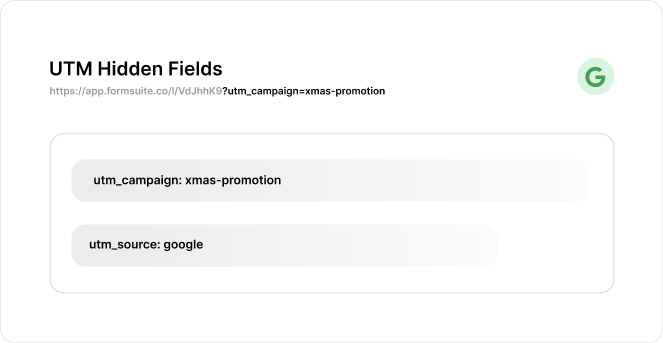
URL parameter mapping
Map any URL parameter to a hidden field. Pass customer IDs, product codes, referral tokens, or any value through the URL into your form data. The parameter name maps directly to the field.
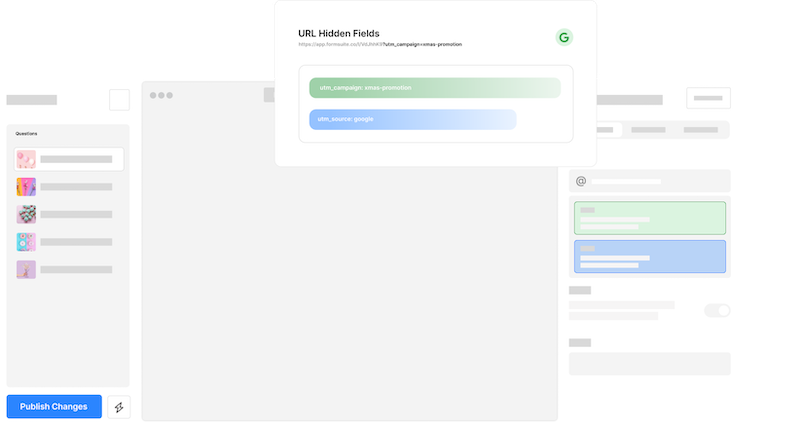
Full UTM support
Capture utm_source, utm_medium, utm_campaign, utm_term, and utm_content automatically. Standard marketing parameters work out of the box with no configuration required.
Form prefilling
Pass values via URL to prefill any content or hidden value. Personalize forms with known data, reduce typing for users, and improve completion rates with smart prefilling.
Referrer tracking
Automatically capture the referring URL that brought users to your form. Know whether they came from your blog, a partner site, social media, or direct traffic.
Custom parameters
Define your own URL parameters beyond standard UTMs. Pass product IDs, variant codes, user segments, or any custom data your workflow requires.
Frequently Asked Questions
Everything you need to know about hidden fields and tracking data through forms. Need help with setup? We are here.
Still need help? Contact Us
Hidden fields are form fields that collect and store data without being visible to the person filling out the form. They capture information like UTM parameters, referral sources, timestamps, and custom values automatically. The data is included with form submissions but users never see or interact with these fields.
Add hidden fields named utm_source, utm_medium, utm_campaign, utm_term, and utm_content to your form. Formsuite automatically captures matching URL parameters. When someone visits your form via a URL like formsuite.co?utm_source=google&utm_campaign=spring, those values are stored with their submission automatically.
Hidden fields are completely invisible to users unless made visible. They capture data silently without displaying anything. Or use the @recall feature to show the value to users. Use hidden fields for tracking data users should not see or modify.
Common uses include UTM parameters for marketing attribution, referrer URL, landing page URL, user or customer IDs, A/B test variants, product or campaign codes, affiliate or partner IDs, and any custom values you pass via URL. Hidden fields can also store calculated values from other form fields.
Yes, hidden fields work perfectly with embedded forms. When you embed a form on your website, you can pass URL parameters from the parent page to the embedded form. This allows you to track which pages generate leads and pass context from your website into form submissions.
Templates to get you started
Start from a ready-made template and customize it to fit your needs.

Lead Capture Form
Engage visitors and turn them into qualified leads with a simple, high-converting form.

Lead Qualification Form
Capture new leads and quickly determine whether they're the right fit for your product or service.

Lead Generation Survey
Discover where your best leads are coming from and identify which marketing channels are driving the strongest results.
Build complete tracking systems
Hidden fields work with other Formsuite features to create powerful tracking and personalization systems.