Your forms, your leads, one place
Stop exporting to spreadsheets. Formsuite organizes every response into a built-in CRM with contact profiles, interaction history, and AI-powered insights.
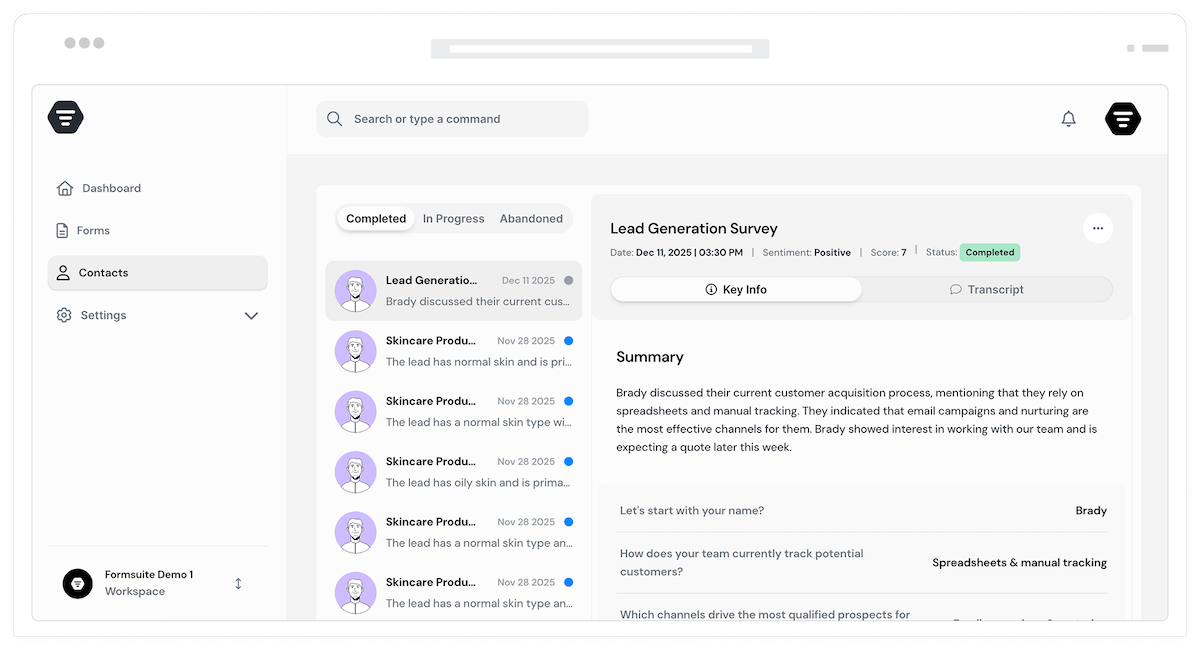
Why built-in CRM changes everything
Traditional form builders dump responses into a table and call it done. Formsuite treats every response as a relationship to nurture. Contact profiles accumulate data across forms, AI highlights who needs attention, and your team works from one unified view of every prospect and customer.
Unified contact profiles
When someone fills out multiple forms, their responses merge into a single profile. See their complete journey: which forms they completed, what they said, how their sentiment evolved. One person, one view, complete context.
AI-powered lead insights
AI analyzes each contact to highlight buying signals, satisfaction levels, and engagement patterns. Know which leads are hot, which customers need attention, and where to focus your team's energy for maximum impact.
No external tools required
For many teams, Formsuite's built-in CRM is all you need. Skip the complexity and cost of separate CRM software. Of course, if you use Salesforce, HubSpot, or others, we integrate seamlessly with those too.
From response to relationship
Every form submission is the start of a relationship. Formsuite helps you manage that relationship from first contact through conversion and beyond.
Automatic contact creation
Every form submission creates or updates a contact profile automatically. No manual data entry, no duplicate records, no lost leads. Email addresses link responses together, building complete profiles over time.
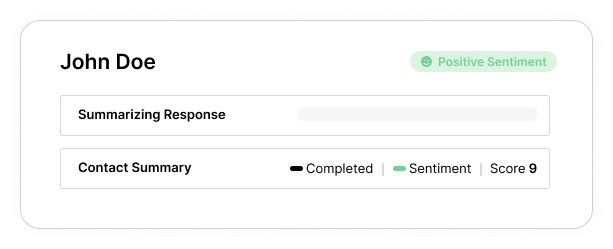
Complete interaction history
See every touchpoint in one timeline. Form submissions, questions anwered, and more from your team all appear chronologically. When you reach out, you have full context on who you are talking to.
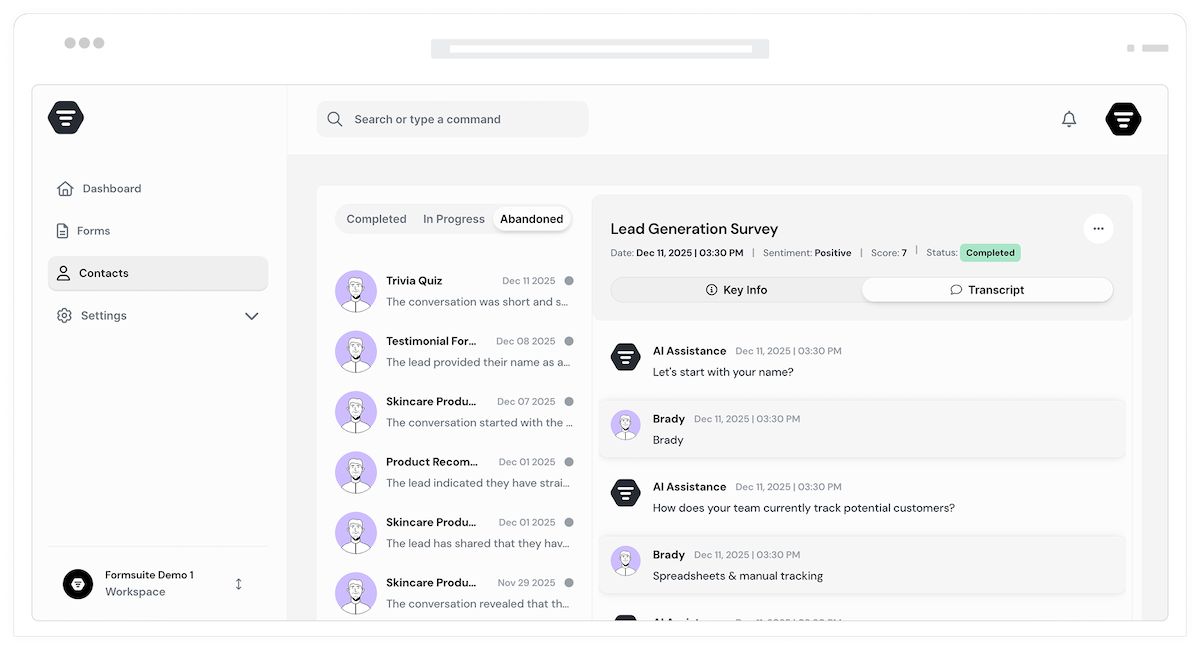
Smart contact organization
Filter and segment contacts by form responses, lead scores, tags, dates, and custom fields. Find your enterprise leads, your unhappy customers, or your most engaged users in seconds. Save segments for quick access.
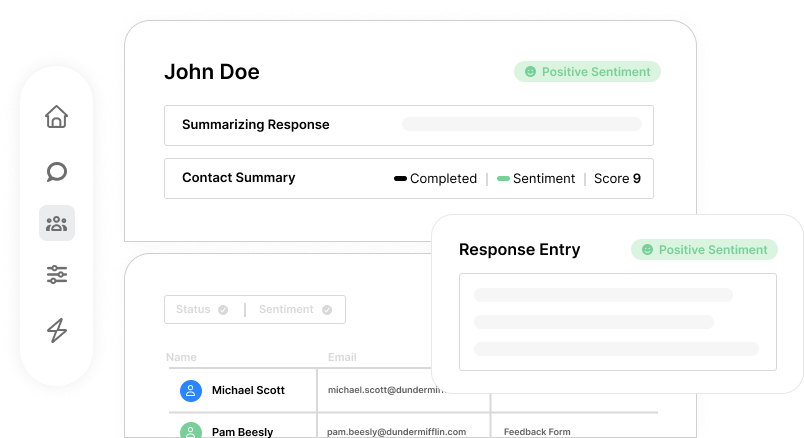
Rich contact profiles
Each contact gets a dedicated profile page showing all their form responses, calculated scores, AI insights, tags, notes, and interaction history. Everything you need to understand and engage with them effectively.
Lead scoring
Automatically score leads based on their form responses using calculator fields, and AI analysis. High-value leads bubble to the top. Combine with AI analysis to identify who is most likely to convert and prioritize your outreach.
Duplicate detection
Formsuite identifies potential duplicate contacts and lets you merge them with a click. Consolidate scattered data into unified profiles, ensuring you never have fragmented information about the same person.
Flexible data export
Export contacts and their data to CSV, Excel, or directly to your external CRM. Run reports, create mailing lists, or sync with other tools. Your data is always accessible in the format you need.
Frequently Asked Questions
Everything you need to know about managing leads and contacts in Formsuite. Have questions? Our support team is ready to help.
Still need help? Contact Us
When someone submits a form, Formsuite automatically creates or updates a contact profile using their email address as the unique identifier. All their responses, across all your forms, are linked to this single profile. You can view contact details, interaction history, AI insights, and notes from one centralized location. The CRM is built directly into Formsuite, requiring no setup or external tools.
For many small to medium teams, Formsuite's built-in CRM provides everything you need: contact profiles, interaction history, lead scoring, tagging, notes, and AI insights. However, if you already use an external CRM, Formsuite integrates seamlessly with Salesforce, HubSpot, and many others via native integrations or Zapier. You can use Formsuite as your primary CRM or as a lead capture layer that feeds into your existing system.
When a form is submitted, Formsuite looks for an email or name field in the response. If the email or unique user identifier matches an existing contact, the new response is added to their profile. If it is a new email or unique user identifier, a new contact is created automatically. All form responses, regardless of which form they came from, are linked to the same contact profile, building a complete picture over time.
Yes, lead scoring works automatically using Formsuite's calculator fields, or with your form's AI analysis. Assign point values to form responses that indicate lead quality, like company size, budget, or timeline. The total score is calculated and stored with the contact. Combine this with AI insights that analyze response sentiment and engagement patterns to identify your most promising leads.
AI enhances contact management in several ways: automatic sentiment analysis of form responses, identification of buying signals and engagement patterns, smart lead scoring recommendations, summary generation of contact interactions, and anomaly detection when contact behavior changes. Each contact profile includes AI-generated insights specific to that person.
Yes, all contact data is fully exportable. Download contacts to CSV or Excel with all their associated form responses and metadata. Export filtered segments or your entire contact database. Use native integrations or Zapier to sync contacts with external tools automatically. Your data belongs to you and is always accessible.
Templates to get you started
Start from a ready-made template and customize it to fit your needs.

Lead Capture Form
Engage visitors and turn them into qualified leads with a simple, high-converting form.

Lead Qualification Form
Capture new leads and quickly determine whether they're the right fit for your product or service.

Client Referral Form
Make it easy for happy clients to recommend your business by collecting referrals from friends and colleagues.
Build your complete lead system
CRM and lead management work seamlessly with other Formsuite features. Create a comprehensive lead capture and nurturing system.